
Description
Overview
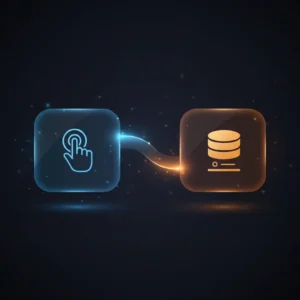
This automation workflow facilitates event-driven SMS notifications triggered by a Pushcut action. Specifically designed for users requiring prompt, no-code integration of mobile triggers with SMS delivery, it listens for the “Leaving Home” Pushcut action and sends a customized message via Twilio. The workflow employs a Pushcut Trigger node authenticated by Pushcut API credentials to initiate the process upon receiving the specified action.
Key Benefits
- Enables real-time SMS alerts triggered by mobile Pushcut actions without manual intervention.
- Supports dynamic message content by extracting input data directly from the trigger event.
- Integrates seamlessly with Twilio’s API for reliable text message dispatch.
- Reduces complexity through a straightforward orchestration pipeline with two nodes.
Product Overview
This automation workflow initiates with a Pushcut Trigger node configured to detect the “Leaving Home” action. Upon activation, the node receives an event payload containing input data, authenticated via stored Pushcut API credentials. The workflow then transfers the input data to a Twilio node, which constructs an SMS message prefixed with “I’m ” followed by the trigger input. The Twilio node uses static phone numbers for sender and recipient, authenticated with Twilio API credentials, to send the SMS. This workflow operates synchronously, immediately sending the SMS upon trigger detection. Error handling defaults to the platform’s standard behavior, as no explicit retries or fallback mechanisms are configured. The workflow preserves data transiently during execution without persistent storage, ensuring secure handling limited to runtime.
Features and Outcomes
Core Automation
This no-code integration pipeline accepts a Pushcut mobile action as input and deterministically routes the extracted input data to SMS dispatch. The Pushcut Trigger node listens for the exact “Leaving Home” event, while the Twilio node formats and sends a tailored message.
- Single-pass evaluation from trigger reception to SMS sending without intermediate processing.
- Deterministic branching with direct handoff between event capture and message delivery.
- Input data dynamically incorporated into message content for personalized alerts.
Integrations and Intake
The workflow integrates with Pushcut to receive mobile-triggered events authenticated via API credentials and with Twilio to send SMS messages using token-based authentication. The input payload includes the Pushcut action name and associated input data.
- Pushcut Trigger node for event-driven action intake authenticated with Pushcut API credentials.
- Twilio node for SMS delivery authenticated via Twilio API credentials.
- Static configuration of sender and recipient phone numbers, requiring manual update for deployment.
Outputs and Consumption
The workflow outputs a synchronous SMS message formatted as plain text. The message body includes a fixed prefix concatenated with the Pushcut input data. There is no asynchronous buffering or queueing; delivery occurs immediately after trigger reception.
- SMS message output with dynamic content based on trigger input.
- Immediate dispatch via Twilio API using preconfigured phone numbers.
- No persistent output storage; transient runtime message generation only.
Workflow — End-to-End Execution
Step 1: Trigger
The workflow begins with the Pushcut Trigger node listening for the “Leaving Home” action within the Pushcut app. When this action is activated on the user’s device, the node receives an authenticated event containing an input field. The trigger relies on Pushcut API credentials to securely authenticate incoming events.
Step 2: Processing
Upon trigger reception, the workflow performs basic presence checks to ensure the input data field exists. The input is passed unchanged to the next node without additional validation or transformation.
Step 3: Analysis
The workflow does not implement conditional logic or heuristic analysis. It directly maps the input data from the Pushcut trigger to the SMS message content, concatenating it with the fixed prefix “I’m ” for the outgoing message.
Step 4: Delivery
The Twilio node sends the constructed SMS message synchronously to a predefined recipient phone number. Authentication is handled via Twilio API credentials. The workflow completes once the SMS dispatch request is executed.
Use Cases
Scenario 1
A user needs to notify a family member automatically when leaving home. This workflow triggers on the Pushcut “Leaving Home” action and sends an SMS alert with dynamic input data, ensuring timely communication without manual texting.
Scenario 2
Teams requiring status updates can use this event-driven analysis pipeline to broadcast location changes. Activating the Pushcut shortcut sends a structured SMS to designated contacts, streamlining real-time coordination.
Scenario 3
For personal automation enthusiasts, this workflow integrates mobile shortcut triggers with SMS messaging, enabling custom alerts based on user-defined Pushcut actions. It provides a deterministic SMS notification in a single execution cycle.
How to use
To deploy this workflow, import it into your n8n instance and configure Pushcut API credentials for the Pushcut Trigger node. Set your Twilio API credentials in the Twilio node and update the static “to” and “from” phone numbers to valid values. Activate the workflow and enable the “Leaving Home” Pushcut shortcut on your device. Upon shortcut activation, the workflow will capture the event and send the corresponding SMS message. Expect immediate, synchronous SMS dispatch with message content reflecting the trigger input.
Comparison — Manual Process vs. Automation Workflow
| Attribute | Manual/Alternative | This Workflow |
|---|---|---|
| Steps required | Multiple manual steps including unlocking device, composing SMS, and sending manually | Single automated trigger-to-SMS step eliminating manual input |
| Consistency | Subject to human error and delays | Deterministic message generation and delivery with fixed formatting |
| Scalability | Limited by manual effort and device availability | Scales automatically with trigger frequency without additional overhead |
| Maintenance | Requires ongoing user attention and manual updates | Minimal maintenance confined to credential updates and phone number configuration |
Technical Specifications
| Environment | n8n workflow automation platform |
|---|---|
| Tools / APIs | Pushcut API (Pushcut Trigger node), Twilio API (Twilio node) |
| Execution Model | Synchronous request–response per trigger event |
| Input Formats | Pushcut action event payload with input field |
| Output Formats | Plain text SMS message via Twilio API |
| Data Handling | Transient processing without persistent storage |
| Known Constraints | Static phone number configuration requires manual update |
| Credentials | Pushcut API credentials, Twilio API credentials |
Implementation Requirements
- Valid Pushcut API credentials configured in the Pushcut Trigger node.
- Twilio API credentials set up in the Twilio node for SMS dispatch.
- Replacement of placeholder phone numbers with actual “to” and “from” numbers for messaging.
Configuration & Validation
- Verify Pushcut Trigger node receives the “Leaving Home” action events via authenticated API connection.
- Confirm Twilio node authentication and ability to send SMS with configured credentials and phone numbers.
- Test end-to-end workflow by activating the Pushcut shortcut and validating receipt of the SMS message.
Data Provenance
- Trigger: Pushcut Trigger node listening for “Leaving Home” action with Pushcut API credentials.
- Processing and message generation via Twilio node using Twilio API credentials.
- Output: SMS message with dynamic content from the Pushcut trigger input field.
FAQ
How is the event-driven SMS automation workflow triggered?
The workflow is initiated by the Pushcut Trigger node detecting the “Leaving Home” action within the Pushcut app, authenticated by Pushcut API credentials.
Which tools or models does the orchestration pipeline use?
This orchestration pipeline uses the Pushcut Trigger node for event intake and the Twilio node for SMS delivery, both authenticated via respective API credentials.
What does the response look like for client consumption?
The response is an SMS message sent via Twilio, formatted as plain text beginning with “I’m ” followed by the input data from the Pushcut trigger.
Is any data persisted by the workflow?
No data persistence occurs; the workflow processes trigger input transiently and immediately sends the SMS without storing any information.
How are errors handled in this integration flow?
Error handling relies on n8n platform defaults; no explicit retry or backoff logic is configured within the workflow nodes.
Conclusion
This workflow provides a precise, event-driven SMS notification system triggered by the Pushcut “Leaving Home” action and delivered via Twilio. It ensures deterministic and immediate message dispatch with dynamic content integration. The approach minimizes manual steps and maintains transient data handling without persistence. A notable constraint is the requirement to manually configure phone numbers within the workflow, which must be updated for deployment. Overall, it offers a reliable no-code integration pipeline suitable for automating personal or small-scale notification tasks dependent on mobile shortcut activation.


















Reviews
There are no reviews yet.