
Description
Overview
This SMS message sending automation workflow enables manual initiation of on-demand text message dispatch via a no-code integration pipeline. Designed for users who require controlled, manual SMS transmission, it leverages a manual trigger node to start the orchestration pipeline and a Mocean node for SMS delivery through API authentication.
Key Benefits
- Manual trigger control ensures SMS messages are sent only when explicitly executed.
- Direct integration with Mocean API allows authenticated, programmatic SMS delivery.
- Simple orchestration pipeline reduces complexity for straightforward text message sending.
- Supports customizable SMS parameters including recipient, sender ID, and message content.
Product Overview
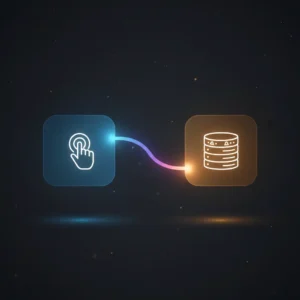
This SMS message sending automation workflow consists of two primary nodes: a manual trigger node and a Mocean SMS node. The workflow requires manual execution, meaning the user must initiate the process by clicking the execute button within the n8n interface. Upon triggering, the flow passes control to the Mocean node configured to send SMS messages through the Mocean SMS API. Authentication is managed via Mocean API credentials, ensuring secure access to the SMS service.
The workflow parameters for recipient phone number (“to”), sender ID (“from”), and message content are initially empty and require user configuration. This design allows for flexible message customization before dispatch. The workflow operates synchronously, immediately attempting delivery upon execution. Error handling defaults to the platform’s inherent retry and failure management mechanisms, as no explicit error handling nodes are defined within this flow.
Features and Outcomes
Core Automation
The core automation workflow begins with a manual trigger node, which initiates the orchestration pipeline upon user action. The subsequent Mocean node executes the SMS send operation based on configured parameters such as recipient, sender, and message content.
- Single-pass evaluation from trigger to SMS dispatch.
- Deterministic execution sequence without conditional branching.
- Immediate handoff from manual trigger to API call for SMS transmission.
Integrations and Intake
This no-code integration connects to the Mocean SMS API using API key credentials for authentication. The workflow intake depends on manual user initiation, requiring no external event payloads or webhooks.
- Mocean SMS node for SMS delivery via authenticated API requests.
- Manual trigger node requiring direct user execution.
- Input parameters for SMS recipient, sender, and message must be set prior to execution.
Outputs and Consumption
The workflow outputs the response from the Mocean SMS API node after attempting message delivery. This response includes the status of the send operation and any relevant metadata returned by the API.
- API response object containing SMS send status.
- Synchronous execution with immediate feedback after manual trigger.
- Output fields reflect delivery success or error details from Mocean service.
Workflow — End-to-End Execution
Step 1: Trigger
The workflow starts with a manual trigger node activated by the user clicking the execute button within the n8n interface. This ensures controlled, on-demand initiation without automated or event-driven triggers.
Step 2: Processing
The workflow passes the execution context unchanged from the manual trigger node to the Mocean node. There are no intermediate validation or transformation steps; parameter fields for recipient, sender, and message must be set prior to execution.
Step 3: Analysis
No additional logic, heuristics, or conditional branches are implemented. The workflow performs a direct API call through the Mocean node using provided parameters to send the SMS message.
Step 4: Delivery
The Mocean node sends the SMS message synchronously via the Mocean SMS API. The workflow returns the API response immediately after execution, enabling confirmation of message dispatch status.
Use Cases
Scenario 1
An administrator needs to manually send critical alerts via SMS. This workflow enables direct, user-initiated dispatch of text notifications by configuring recipient and message details before execution, ensuring controlled delivery.
Scenario 2
A support team requires an on-demand SMS sender for client communications. By manually triggering this automation, support agents can send personalized messages without coding, streamlining the notification process.
Scenario 3
A small business owner wants to send promotional or informational SMS messages occasionally. This workflow allows manual activation and message customization, facilitating straightforward SMS outreach without automation complexity.
How to use
After integrating this workflow into the n8n environment, configure the Mocean node with valid API credentials. Enter the recipient phone number, sender ID, and message content in the node’s parameters before execution. Trigger the workflow manually via the “execute” button in the n8n UI. Upon execution, the SMS message is sent immediately, and the workflow returns the delivery status. For live use, ensure credentials are valid and parameters are correctly set each time.
Comparison — Manual Process vs. Automation Workflow
| Attribute | Manual/Alternative | This Workflow |
|---|---|---|
| Steps required | Multiple manual actions including phone access and SMS app usage. | Single manual trigger within n8n interface initiates SMS dispatch. |
| Consistency | Variable, dependent on manual input accuracy. | Consistent message formatting determined by configured parameters. |
| Scalability | Limited, manual sending restricts volume and speed. | Scales to multiple executions with manual triggers; no automated bulk sending. |
| Maintenance | Minimal technical maintenance, but prone to human error. | Requires credential management and parameter updates for accurate sending. |
Technical Specifications
| Environment | n8n automation platform |
|---|---|
| Tools / APIs | Manual Trigger node, Mocean SMS API node |
| Execution Model | Manual trigger synchronous execution |
| Input Formats | Parameter fields for phone numbers and message text |
| Output Formats | Mocean API response object |
| Data Handling | Transient processing; no persistence configured |
| Credentials | Mocean API key and secret |
Implementation Requirements
- Valid Mocean API credentials (API key and secret) must be configured.
- n8n instance with access to manual trigger and Mocean nodes installed.
- Pre-configuration of SMS parameters (“to,” “from,” “message”) before each execution.
Configuration & Validation
- Set Mocean API credentials in n8n credential manager.
- Configure recipient, sender, and message parameters in the Mocean node.
- Manually trigger the workflow and verify the Mocean API response for successful SMS dispatch.
Data Provenance
- Workflow triggered by “On clicking ‘execute'” manual trigger node.
- SMS message sent via “Mocean” node using Mocean API credentials.
- Outputs include API response fields indicating SMS delivery status.
FAQ
How is the SMS message sending automation workflow triggered?
The workflow is triggered manually by a user clicking the execute button in the n8n interface, enabling on-demand SMS dispatch.
Which tools or models does the orchestration pipeline use?
The orchestration pipeline uses a manual trigger node to initiate execution and a Mocean node to send SMS messages via the Mocean API.
What does the response look like for client consumption?
The response is the Mocean API output, which includes the status of the SMS send operation and any relevant metadata.
Is any data persisted by the workflow?
No data persistence is configured; all processing is transient and handled within the execution session.
How are errors handled in this integration flow?
Error handling relies on n8n’s default mechanisms; no explicit retry or backoff logic is implemented within the workflow.
Conclusion
This SMS message sending automation workflow offers a straightforward, manually triggered solution to dispatch SMS messages through the Mocean SMS API. It provides dependable, synchronous delivery based on user-defined parameters for recipient, sender ID, and message content. While the workflow requires manual initiation and parameter configuration for each execution, it facilitates controlled SMS sending without automation complexity. The primary constraint is its reliance on valid Mocean API credentials and the need for manual user action to initiate messages, limiting it to on-demand rather than automated bulk SMS scenarios.


















Reviews
There are no reviews yet.