
Description
Overview
This automation workflow enables on-demand retrieval of detailed launch data through a GraphQL query, creating a precise data orchestration pipeline for recent spaceflight events. Intended for developers and data analysts, it addresses the need to efficiently access structured information about the last five SpaceX launches via a manual trigger node followed by a GraphQL request node.
Key Benefits
- Provides real-time access to recent launch details using a manual trigger and GraphQL integration.
- Consolidates complex nested data on missions, rockets, payloads, and ships in a single query.
- Supports no-code integration for extracting detailed aerospace telemetry and metadata efficiently.
- Facilitates event-driven analysis by enabling retrieval of launch data on demand without scheduling.
Product Overview
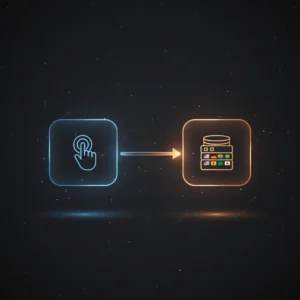
This automation workflow initiates with a manual trigger node that requires no parameters, allowing the user to start data retrieval at will by clicking the execute button. Upon activation, it performs a GraphQL query against the SpaceX public API endpoint, requesting data about the five most recent launches. The query extracts mission names, local launch dates, launch site details, associated media links, rocket specifications including core reuse and status, payload types and masses, and ship information related to each launch. The workflow operates synchronously, returning the structured JSON response directly from the GraphQL node. It relies on public API availability with no additional authentication required, and defaults to standard error handling inherent in the platform without custom retry or backoff logic. No data persistence or caching occurs within the workflow, ensuring transient processing of each request.
Features and Outcomes
Core Automation
This no-code integration pipeline accepts manual initiation and executes a structured GraphQL query to fetch launch data. The query enforces a limit of five past launches and retrieves nested mission and vehicle details in a single request.
- Single-pass evaluation of launch data with nested relational fields.
- Deterministic data retrieval with fixed query parameters for consistent output.
- Synchronous execution triggered manually without intermediate queuing.
Integrations and Intake
The workflow integrates with the SpaceX public GraphQL API using HTTP requests formatted as JSON. No authentication credentials are required, enabling straightforward access to launch event data. The input is strictly a manual trigger, with no external payload constraints.
- GraphQL API for querying detailed aerospace launch and vehicle data.
- Manual trigger node to control execution timing without automated scheduling.
- Structured JSON query requesting specific nested fields for comprehensive data.
Outputs and Consumption
The workflow outputs a JSON-formatted response containing mission, rocket, payload, and ship details. The data is returned synchronously upon query completion and is immediately available for downstream processing or display.
- JSON output format with nested arrays and objects representing launch metadata.
- Includes mission names, launch site full names, and media links.
- Rocket core reuse counts, payload masses, and ship information included.
Workflow — End-to-End Execution
Step 1: Trigger
The workflow begins with a manual trigger node activated by the user clicking the execute button in the n8n interface. This step requires no input parameters or headers and serves as the explicit initiation point for the subsequent query.
Step 2: Processing
The workflow passes the trigger event unchanged to the GraphQL node. The GraphQL query is predefined and does not accept external input, so no dynamic validation or parsing is needed beyond the platform’s default request preparation.
Step 3: Analysis
The GraphQL node executes a structured query requesting the last five SpaceX launches with detailed nested fields. No additional logic, thresholds, or heuristics are applied; the node returns the raw API response as-is.
Step 4: Delivery
Upon completion of the query, the workflow outputs the JSON data synchronously for immediate consumption. There is no downstream dispatch or asynchronous queuing configured, allowing direct access to the results within the execution context.
Use Cases
Scenario 1
A data analyst requires the latest SpaceX launch information to update a reporting dashboard. Using this orchestration pipeline, they manually trigger the workflow to retrieve structured launch data, ensuring the dashboard reflects current mission and rocket details without manual API querying.
Scenario 2
A developer building a spaceflight news application needs fresh data on recent launches. This automation workflow simplifies integration by providing a single point to fetch nested launch metadata, including media links and payload info, enabling timely content updates.
Scenario 3
An educator preparing aerospace course materials wants to demonstrate real-world API data retrieval. By executing this manual trigger workflow, they access comprehensive launch datasets suitable for analysis and classroom discussion, illustrating GraphQL data aggregation in practice.
How to use
To utilize this workflow, import it into your n8n instance and ensure the manual trigger and GraphQL nodes are intact. No additional credentials are required as the SpaceX API is publicly accessible. Activate the workflow by clicking the execute button on the manual trigger node. The workflow will synchronously query and return launch data in JSON format. Integrate this output with other workflows or data sinks as needed for reporting, notification, or analysis purposes.
Comparison — Manual Process vs. Automation Workflow
| Attribute | Manual/Alternative | This Workflow |
|---|---|---|
| Steps required | Multiple manual API calls and data parsing steps | Single manual trigger with automated GraphQL query execution |
| Consistency | Prone to human error and inconsistent data retrieval | Deterministic, fixed query returns structured data consistently |
| Scalability | Limited by manual effort and API rate limits on repeated calls | Scales with automation platform, supports repeated manual execution |
| Maintenance | Requires manual updates to queries and data parsing scripts | Centralized query managed within workflow, minimal upkeep |
Technical Specifications
| Environment | n8n workflow automation platform |
|---|---|
| Tools / APIs | Manual Trigger node, GraphQL node, SpaceX public GraphQL API |
| Execution Model | Synchronous request-response triggered manually |
| Input Formats | Manual trigger event with no payload |
| Output Formats | JSON-formatted nested launch data |
| Data Handling | Transient processing, no persistence |
| Known Constraints | Relies on public API availability; no authentication |
| Credentials | None required for public API access |
Implementation Requirements
- Access to an n8n instance with permissions to add and execute workflows.
- Stable internet connection to reach the SpaceX public GraphQL API endpoint.
- No authentication credentials needed due to public API usage.
Configuration & Validation
- Import the workflow JSON into the n8n environment and verify nodes are intact.
- Confirm the GraphQL node’s query matches the expected schema requesting the last five launches.
- Execute the workflow manually and verify the JSON output contains mission, rocket, and payload data.
Data Provenance
- Manual Trigger node initiates workflow execution on user command.
- GraphQL node queries the SpaceX public API endpoint for recent launch data.
- Output fields include mission_name, launch_date_local, rocket details, payload masses, and ships.
FAQ
How is the automation workflow triggered?
The workflow is triggered manually by clicking the execute button on the manual trigger node within n8n’s interface, requiring no external inputs.
Which tools or models does the orchestration pipeline use?
It uses a manual trigger node and a GraphQL node to perform a fixed query against the SpaceX public GraphQL API, with no additional models or heuristics applied.
What does the response look like for client consumption?
The response is a JSON object containing arrays of launch data, including mission names, launch sites, rocket core reuse information, payload masses, and ship details.
Is any data persisted by the workflow?
No data is stored or cached within the workflow; all data is processed transiently and returned immediately upon query completion.
How are errors handled in this integration flow?
The workflow relies on n8n’s default error handling; no custom retry or backoff mechanisms are configured.
Conclusion
This automation workflow provides a structured, manual-triggered method to retrieve detailed recent SpaceX launch data using a GraphQL query. It offers deterministic, transient data extraction without persistence or authentication, relying on the public API’s availability. The workflow excels at simplifying access to complex nested aerospace datasets for analysis or integration but requires manual initiation and does not include automated error recovery. It is suitable for environments where on-demand, precise retrieval of launch metadata is required without additional system dependencies.

















Reviews
There are no reviews yet.