Description
Overview
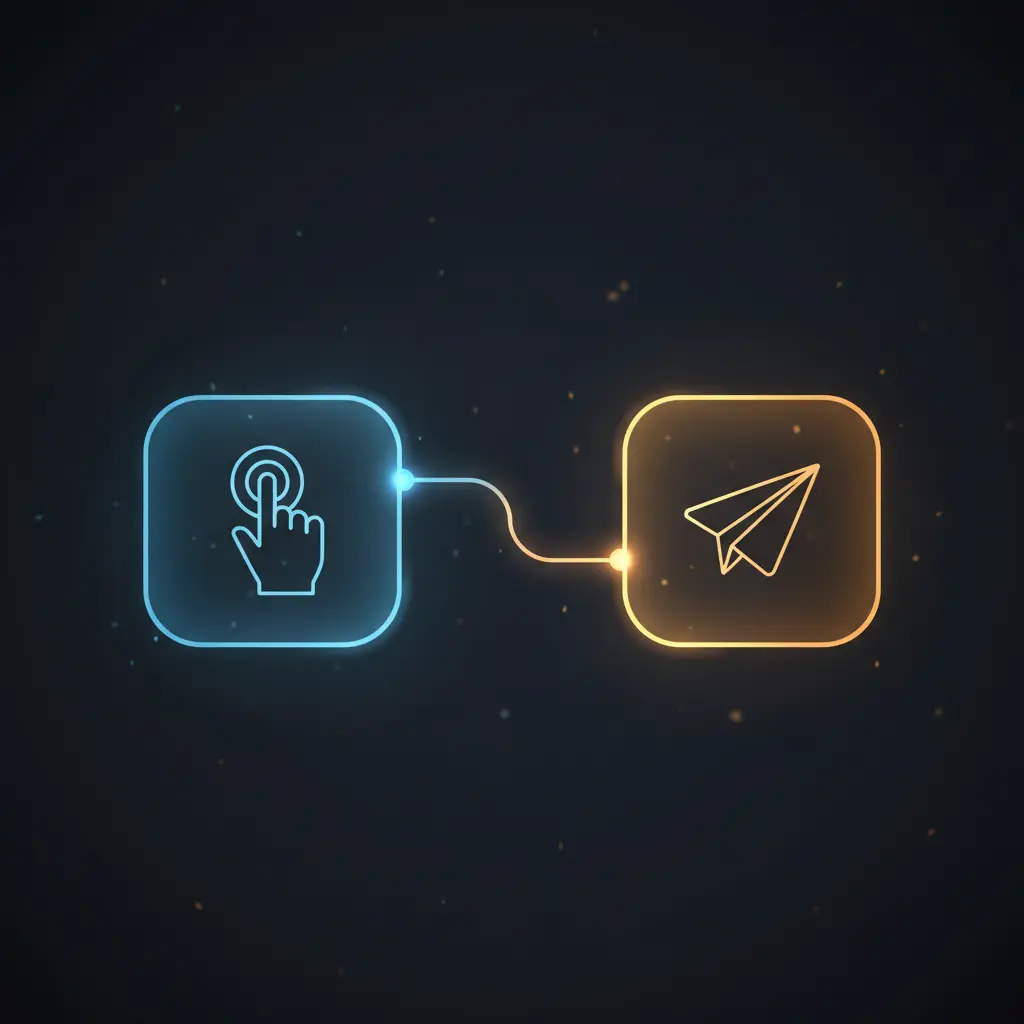
This automation workflow captures a full-page website screenshot and delivers it directly to a Telegram chat. Designed as a no-code integration, it enables users to generate and send visual snapshots on demand by manually triggering the process.
The workflow initiates with a manual trigger node and uses the uProc image processing tool to obtain a 1024-pixel-wide full-page screenshot, which is then forwarded to Telegram via the Telegram node configured for photo sending.
Key Benefits
- Enables manual initiation of screenshot capture through a manual trigger node.
- Generates full-page website screenshots at fixed 1024-pixel width using uProc.
- Delivers captured images directly to Telegram chats via bot integration.
- Supports image-to-insight automation by linking visual data capture with messaging delivery.
Product Overview
This automation workflow starts with a manual trigger node, which requires the user to execute the flow explicitly. Upon activation, the uProc node requests a full-page screenshot of the website “https://n8n.io” at a resolution of 1024 pixels width. The uProc node leverages an authenticated API call using stored uProc credentials to capture the webpage image via the “getUrlScreenshot” tool within the image group category.
The output from uProc includes a message object with a “result” field containing the screenshot file. This file is then passed directly to the Telegram node configured to send photos through the Telegram Bot API. The Telegram node uses stored API credentials and requires a chat ID to dispatch the image to the intended recipient.
The workflow executes synchronously in a linear sequence: manual trigger, screenshot generation, and image delivery. No explicit error handling or retry logic is defined; thus, standard platform defaults apply. Authentication is handled via API credentials configured in n8n, ensuring secure access to both uProc and Telegram services. No data persistence beyond transient API requests occurs within the workflow.
Features and Outcomes
Core Automation
The core automation pipeline accepts manual initiation and processes a URL screenshot request using the uProc node. It applies fixed parameters for width and full-page capture before forwarding the image output to Telegram for delivery.
- Single-pass evaluation triggered manually for controlled execution.
- Deterministic capture of full webpage images at 1024 pixels wide.
- Sequential node chaining ensuring reliable data handoff between steps.
Integrations and Intake
This orchestration pipeline connects two external APIs: uProc for image processing and Telegram for messaging. Authentication is managed via API key credentials securely stored within n8n. The uProc node expects a fixed URL input and returns a structured JSON response with the screenshot file.
- uProc API used for website screenshot generation with “getUrlScreenshot” tool.
- Telegram Bot API integration for photo message delivery to specified chat IDs.
- Manual trigger node initiates workflow without external event dependencies.
Outputs and Consumption
The workflow outputs a photo message sent to Telegram, delivering the captured screenshot as an image file. This is performed synchronously after the screenshot is generated, enabling near real-time consumption. The key output field utilized is the “result” from uProc’s message object.
- Output format: image file compatible with Telegram photo messages.
- Synchronous delivery ensures immediate dispatch upon screenshot capture.
- Output keys include “message.result” containing the screenshot file reference.
Workflow — End-to-End Execution
Step 1: Trigger
The workflow starts with a manual trigger node activated by the user clicking the execute button within n8n. This node does not require any input parameters and serves as a deliberate initiation point for the automation pipeline.
Step 2: Processing
The uProc node receives the trigger and sends a request to generate a screenshot of the fixed URL “https://n8n.io”. Parameters specify a full-page capture at 1024 pixels width. Basic presence checks on required parameters are enforced, and the node uses stored uProc API credentials for authentication.
Step 3: Analysis
The workflow does not perform additional data analysis or branching logic. It deterministically passes the resulting screenshot file from the uProc node directly to the Telegram node without modification.
Step 4: Delivery
The Telegram node receives the screenshot file and sends it as a photo message to the designated Telegram chat. The chat ID must be configured for actual use. Authentication is handled via stored Telegram API credentials, and the delivery is synchronous within the workflow execution.
Use Cases
Scenario 1
A website monitoring team needs to capture and share visual snapshots of a client site on demand. This workflow enables manual capture of full-page screenshots and instant delivery to a Telegram group, providing quick visual status updates without manual download and upload steps.
Scenario 2
Content reviewers require a simple method to obtain site previews for discussion. By initiating the automation manually, users get consistent, full-length screenshots sent directly to a Telegram chat, streamlining review cycles and reducing manual handling of image files.
Scenario 3
Developers want to verify UI changes by generating on-demand screenshots of a staging URL. Using this workflow, they can trigger a screenshot and receive it in Telegram instantly, supporting fast feedback loops with deterministic visual output.
How to use
To operate this workflow in n8n, first configure valid uProc and Telegram API credentials in the credential manager. Set the target Telegram chat ID in the Telegram node parameters. Trigger the workflow manually via the execute button to start the process. The workflow will request a full-page screenshot of the hardcoded URL and send the resulting image to the specified Telegram chat. Expected results include a photo message in Telegram containing the website snapshot.
Comparison — Manual Process vs. Automation Workflow
| Attribute | Manual/Alternative | This Workflow |
|---|---|---|
| Steps required | Multiple manual steps: open site, take screenshot, save file, upload to Telegram. | Single manual trigger initiates automated screenshot capture and delivery. |
| Consistency | Varies by user and tool, prone to human error in capture and upload. | Deterministic full-page capture and direct Telegram upload reduce errors. |
| Scalability | Limited by manual effort and file handling overhead. | Scales with manual triggers; no batching or parallel requests configured. |
| Maintenance | Requires manual tool updates and coordination. | Minimal maintenance; depends on API credential validity and platform uptime. |
Technical Specifications
| Environment | n8n automation platform |
|---|---|
| Tools / APIs | uProc API (getUrlScreenshot), Telegram Bot API |
| Execution Model | Manual trigger with synchronous node chaining |
| Input Formats | None (manual trigger); fixed URL parameter in node |
| Output Formats | Image file sent as Telegram photo message |
| Data Handling | Transient API requests; no data persistence |
| Credentials | uProc API key, Telegram Bot API key |
Implementation Requirements
- Valid uProc API credentials configured in n8n for screenshot generation.
- Telegram Bot API credentials and target chat ID set for photo delivery.
- n8n environment with manual execution access to trigger the workflow.
Configuration & Validation
- Ensure uProc API credentials are correctly stored and associated with the uProc node.
- Set the Telegram node with valid API credentials and the intended chat ID for photo delivery.
- Trigger the workflow manually and verify receipt of the full-page screenshot image in the configured Telegram chat.
Data Provenance
- Trigger node: “On clicking ‘execute'” (manual trigger type) initiates the workflow.
- Processing node: “uProc” uses the getUrlScreenshot tool with parameters including URL, width, and fullpage capture.
- Delivery node: “Telegram” sends the screenshot file from uProc’s message.result to the configured chat ID.
FAQ
How is the screenshot automation workflow triggered?
The workflow is triggered manually by the user via the “On clicking ‘execute'” manual trigger node within n8n. It requires no external event or input data to start.
Which tools or models does the orchestration pipeline use?
The workflow uses the uProc API, specifically the “getUrlScreenshot” tool for full-page website capture, and the Telegram Bot API for delivering the screenshot as a photo message.
What does the response look like for client consumption?
The output is an image file containing the full-page screenshot sent as a photo to a specified Telegram chat. The image is accessed from the uProc node’s “message.result” field and delivered synchronously.
Is any data persisted by the workflow?
No data is persisted within the workflow. All data processing happens transiently via API calls. The screenshot is delivered directly to Telegram without local storage.
How are errors handled in this integration flow?
The workflow does not define explicit error handling or retry mechanisms. Standard n8n platform defaults apply, including failure notifications and halting on errors.
Conclusion
This automation workflow provides a deterministic method to capture and deliver full-page website screenshots to Telegram chats via manual trigger. It ensures consistent data handling by leveraging uProc’s image processing API and Telegram Bot API for delivery. The manual trigger offers controlled execution, but the workflow depends on external API availability and valid credentials for both uProc and Telegram. This integration reduces manual steps, enabling streamlined image-to-insight sharing without persistent data storage or complex error handling.












Reviews
There are no reviews yet.