
Description
Overview
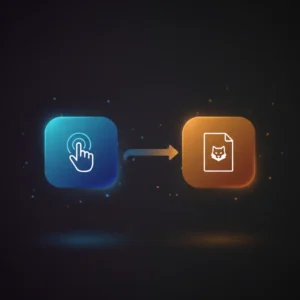
This manual trigger workflow provides a precise automation workflow designed for controlled execution of internal processes within n8n. The orchestration pipeline activates only when a user deliberately initiates it by clicking execute, ensuring deterministic on-demand operation without automatic scheduling or event-driven triggers.
The workflow consists of a manual trigger node paired with an execute workflow node, enabling users to invoke a referenced workflow (ID 1) explicitly. This design is optimal for scenarios requiring human oversight before execution.
Key Benefits
- Enables manual initiation of complex workflows, eliminating unintended automated runs.
- Supports precise control over orchestration pipelines with explicit user action.
- Integrates seamlessly within n8n to trigger nested workflows programmatically.
- Facilitates on-demand workflow execution without external event dependencies.
Product Overview
This automation workflow uses a manual trigger node as the entry point, which requires a user to click the execute button in the n8n interface to start the process. Upon activation, it immediately invokes an execute workflow node configured to run a separate workflow identified by the internal ID “1”. The manual trigger node does not accept external payloads and does not run on a schedule or event basis. The execute workflow node passes input directly to the referenced workflow, ensuring seamless data flow without transformation at this stage.
Execution follows a synchronous path within the n8n environment: once triggered, the referenced workflow runs to completion in a single session. Error handling and retries are managed by n8n’s platform defaults, as no explicit error or retry configurations are present. This setup ensures transient, ephemeral processing without persistent storage or credential exchange beyond standard n8n environment configurations.
Features and Outcomes
Core Automation
This manual trigger automation workflow accepts no input parameters and relies on explicit user action as the decision criterion to initiate processing. The execute workflow node deterministically invokes the referenced workflow (ID 1) once the manual trigger is activated.
- Single-pass execution flow starting with manual user input.
- Deterministic branching limited to invocation of a single downstream workflow.
- No conditional logic or data transformation within this workflow layer.
Integrations and Intake
The workflow integrates internally within n8n, connecting the manual trigger node to the execute workflow node. Authentication and authorization are handled by n8n’s native environment, requiring no external API credentials for this orchestration pipeline. The manual trigger node does not accept any input payload or external event triggers.
- Manual trigger node initiates execution based on user interaction.
- Execute workflow node calls internal workflow ID 1 without external API calls.
- No external authentication or input constraints required.
Outputs and Consumption
The workflow does not produce output directly; instead, it routes control and any internal data to the referenced workflow (ID 1). Output formats and consumption depend entirely on the downstream workflow’s configuration. This workflow acts as a synchronous handoff point within the n8n environment.
- Does not generate standalone output data.
- Passes input transparently to downstream workflow.
- Execution results depend on referenced workflow’s design.
Workflow — End-to-End Execution
Step 1: Trigger
The workflow initiates exclusively via the manual trigger node, requiring a user to click the “execute” button in the n8n editor or UI. There are no scheduled or event-based triggers, ensuring controlled and deliberate start of the automation pipeline.
Step 2: Processing
The workflow passes control from the manual trigger node to the execute workflow node without alteration or validation of input data, as no payload is provided. Basic presence checks confirm the manual trigger activation before proceeding.
Step 3: Analysis
No analysis, conditional branching, or decision-making logic occurs within this workflow. The execute workflow node simply calls the referenced workflow (ID 1), handing off any received data for downstream processing.
Step 4: Delivery
The workflow concludes by synchronously invoking the referenced workflow. Any results or outputs are handled and delivered by the downstream workflow, not by this manual trigger orchestration pipeline.
Use Cases
Scenario 1
Organizations needing explicit control over workflow execution can use this manual trigger to start complex processes only with human oversight. This ensures workflows run only when authorized, avoiding unintended automated runs.
Scenario 2
In development or testing environments, users can manually trigger nested workflows to validate logic without scheduling or webhook dependencies, allowing precise step-by-step orchestration pipeline control.
Scenario 3
Teams requiring an on-demand orchestration pipeline may invoke this workflow to launch predefined internal workflows without external event or API triggers, ensuring deterministic execution sequences.
How to use
To utilize this manual trigger workflow within n8n, import or create the workflow containing the manual trigger and execute workflow nodes. Ensure the referenced workflow with ID 1 exists and is correctly configured. Run the workflow by selecting it in the n8n editor and clicking the execute button manually. Expect the workflow to synchronously invoke the referenced workflow immediately upon trigger activation. No additional setup or external credentials are required for this internal orchestration pipeline.
Comparison — Manual Process vs. Automation Workflow
| Attribute | Manual/Alternative | This Workflow |
|---|---|---|
| Steps required | Multiple manual steps to start and monitor execution. | Single user action triggers entire workflow chain automatically. |
| Consistency | Subject to human error and timing variability. | Deterministic workflow invocation with explicit trigger. |
| Scalability | Limited by manual operation capacity. | Scales within n8n environment for multiple sequential runs. |
| Maintenance | Requires manual monitoring and error handling. | Minimal maintenance; relies on n8n platform defaults. |
Technical Specifications
| Environment | n8n automation platform |
|---|---|
| Tools / APIs | Manual Trigger node, Execute Workflow node |
| Execution Model | Synchronous, on-demand manual initiation |
| Input Formats | None (manual trigger without payload) |
| Output Formats | Dependent on downstream workflow |
| Data Handling | Transient, no persistence within this workflow |
| Known Constraints | Requires manual user interaction to start |
| Credentials | Handled by n8n environment; no external credentials needed |
Implementation Requirements
- n8n environment with user access to execute workflows manually.
- Referenced workflow with internal ID 1 must exist and be active.
- Proper permissions to trigger and execute workflows within n8n instance.
Configuration & Validation
- Confirm manual trigger node is configured without scheduling or external event dependencies.
- Verify execute workflow node references the correct workflow ID (1) within the n8n environment.
- Test manual execution by clicking execute in n8n UI and ensure downstream workflow runs as expected.
Data Provenance
- Trigger node: “On clicking ‘execute'” of type manualTrigger initiates workflow.
- Execution node: “Execute Workflow” of type executeWorkflow calls workflow ID 1.
- No external credentials or API keys are used; all execution occurs within n8n platform.
FAQ
How is the manual trigger automation workflow triggered?
The workflow initiates only when a user manually clicks the execute button in the n8n editor, requiring deliberate user interaction.
Which tools or models does the orchestration pipeline use?
This orchestration pipeline uses the manual trigger node to start execution and the execute workflow node to invoke a referenced workflow internally.
What does the response look like for client consumption?
This workflow does not produce a direct response; it synchronously triggers another workflow that manages output delivery.
Is any data persisted by the workflow?
No data persistence occurs within this manual trigger workflow; all processing is transient and passed to downstream workflows.
How are errors handled in this integration flow?
Error handling relies on n8n’s platform defaults, as this workflow contains no explicit retry or backoff mechanisms.
Conclusion
This manual trigger automation workflow provides a controlled mechanism for on-demand execution of internal n8n workflows, requiring explicit user action to initiate processing. It ensures deterministic invocation of downstream workflows without scheduling or event dependencies. While it offers precise control and minimal maintenance, it relies on manual interaction and n8n platform availability to function. This design suits environments prioritizing human oversight and controlled orchestration pipeline activation within n8n’s automation framework.















Reviews
There are no reviews yet.